Air Care Basics
Purifier Basics
Do Blueair air purifiers emit ozone?
All Blueair air purifiers are CARB certified, meaning they are considered safe and do not exceed ozone emission limits. Blueair has conducted ongoing independent testing to ensure that our air purifiers do not release harmful ozone levels. Our units are tested in accordance with UL Standard 867 and demonstrate ozone emission levels far below the mandated California Air Resource Board (CARB) ozone emissions limit of less than 50 parts per billion (ppb).
Tested at Intertek, a CARB-accredited test lab, Blueair products undergo a comprehensive series of tests to measure ozone emissions. In these eight-hour-long tests, air purifiers are tested at high and low speeds – with and without filters installed. The Intertek facility features environmental chamber technology, using trusted and proven scientific methods available for testing to verify if products produce ozone.
Certified air purifiers, including all Blueair air purifiers, are listed on the CARB website.
CARB-certified products are also identified by the CARB text printed on the product packaging:
In 2021, Blueair’s Blue Pure Auto, DustMagnet, HealthProtect, and Pure Fan Auto models also received Zero Ozone Verification, one of the most stringent ozone emissions standards available, by independent testing lab Intertek. Products with this designation meet or exceed all other nationally recognized certification programs, emitting ozone concentrations of 5 parts per billion (ppb) or less. Additional Blueair models are currently also being certified.
Learn more: https://www.intertek.com/sustainability/zero-ozone/
My tVOCs seem too low, why?
Low tVOCs levels can occur for various reasons:
You actually have low tVOC levels in the air.
Your device has recently been restarted (unplugged or after a power cut). In this case, the sensors need a little time to re-adapt. This can take up to one week.
Your device has been turned on and off in environments with different humidity and temperature. If so, the sensor needs a bit of time to re-adapt. This can take up to one week.
I have lost my user manual, what do I do?
To view the user manual for your device, please follow this link https://support.blueair.com/faq/s/?language=en_US select the family that your device is in, and scroll down to the Specifications & Instructions section, then click on the user manual for your corresponding model.
My tVOC levels are high, what should I do?
Your air might be temporarily polluted.
Blueair's tVOC sensors are designed to react to most gases (tVOC = Total Volatile Organic Compounds). The concentration of the gases is summarized into air quality levels in the app. If you see high tVOCs levels, the air is probably temporarily polluted with gaseous pollutants. There can be many sources, such as perfume, new furniture, humidity, repellent, nail varnish, scented candle, disinfectant cleaner, laundry detergent, softener, paints, solvent, varnish, glue, dry-cleaned clothes, air fresheners, etc.
Also, the presence of humans and pets can provoke high tVOC levels (body odors and gasses), which is not harmful to your health. It only means that it is time to ventilate the room!
Here is what you can do to lower the VOC concentrations
Run your air purifier with a Smokestop filter (not suitable with all models of air purifiers).
Open the window and ventilate for at least ten minutes If you still think that your values are strangely high, contact us! We'll help you check that your device is set up correctly.
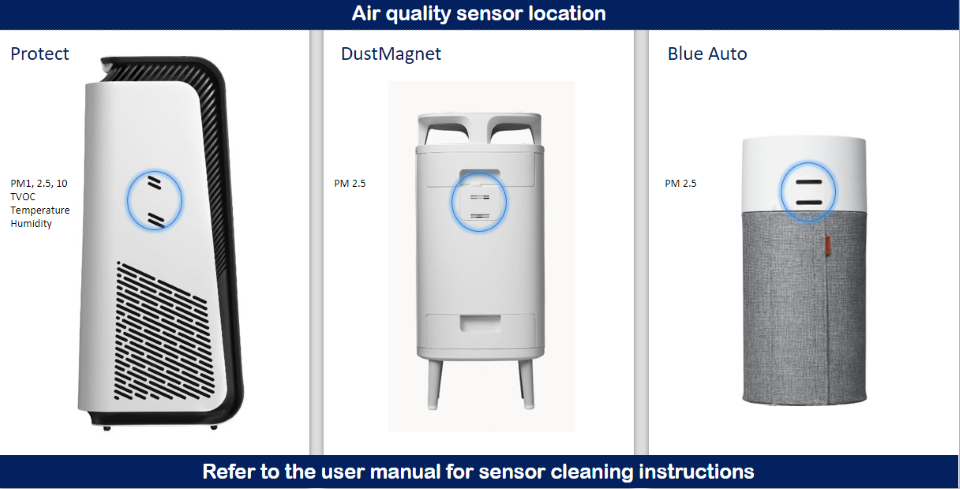
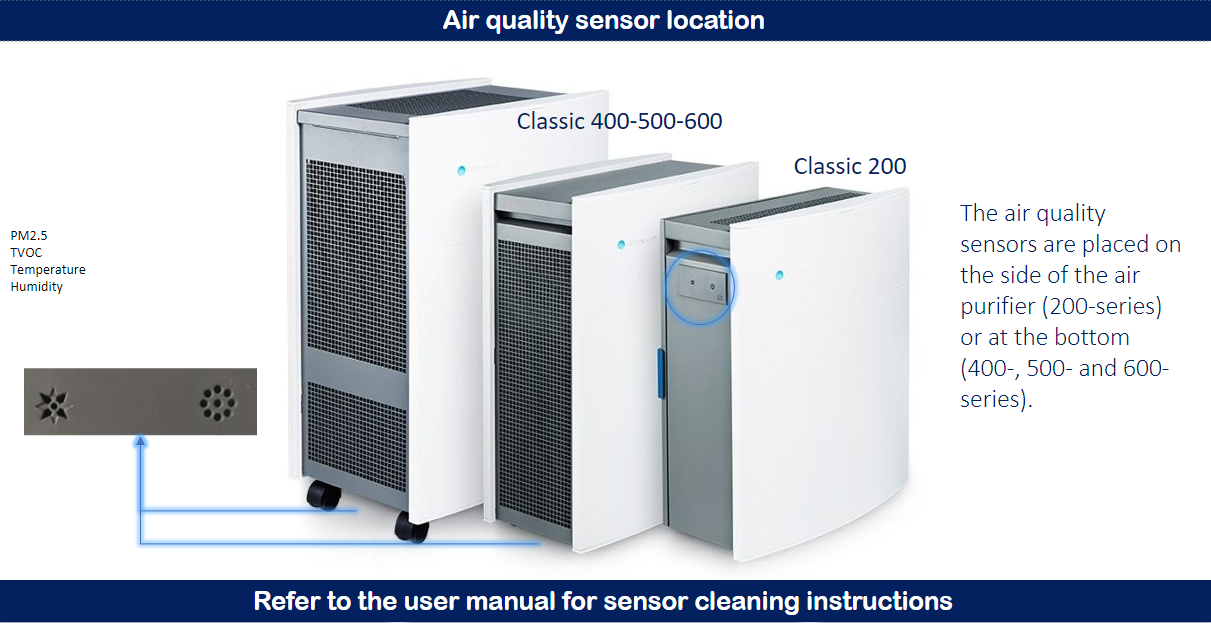
Where are the air quality sensors located on my air purifier?
Humidifier Basics
Heating and Cooling Basics
How do I reset the red light filter indicator on my 3-in-1?
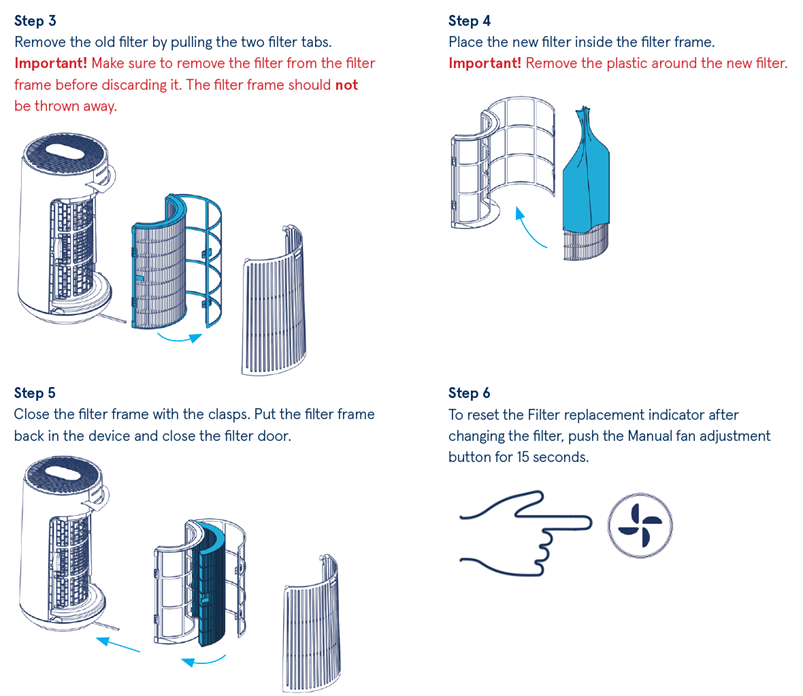
When the filter replacement indicator turns red on your device, it means the filter has expired and is ready to be replaced.
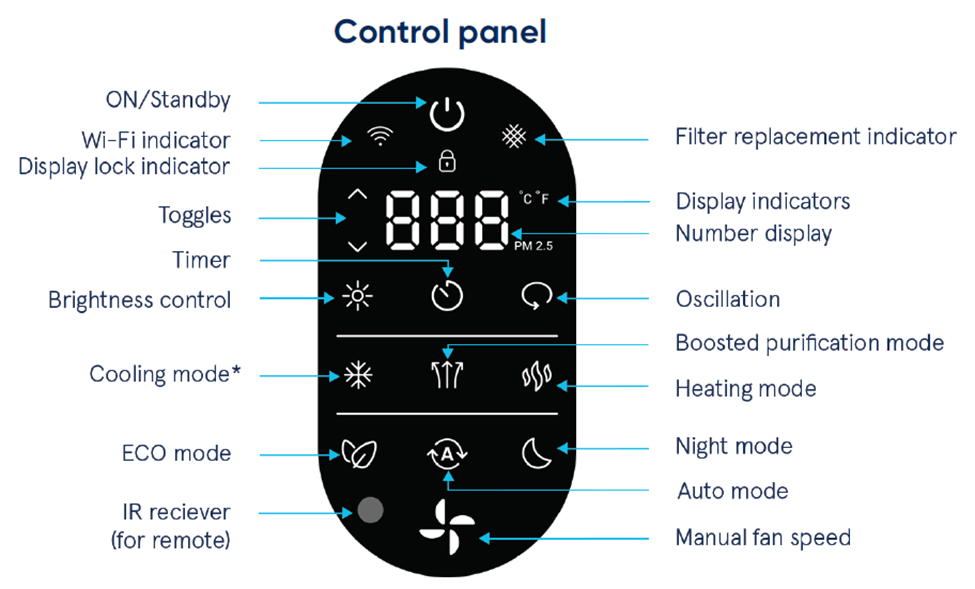
After replacing with a new filter, always reset the Filter replacement indicator by pressing the manual fan icon on the device for 15 seconds.

How do I put my 3-in-1 in Night Mode
-
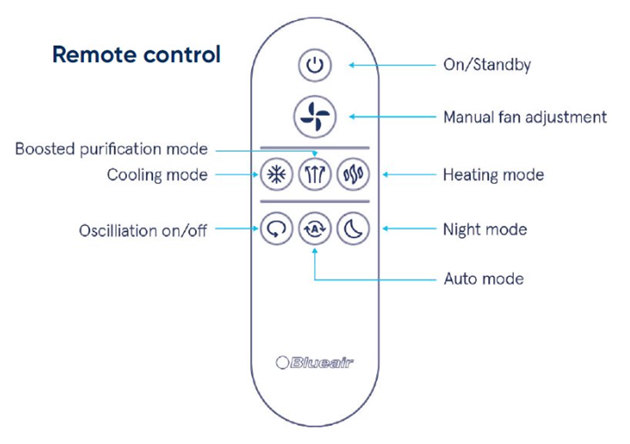
To turn on Night Mode, you can tap the Night mode icon on the device, the remote control or enable Night mode from within the Blueair app. Night Mode turns the device to a custom fan speed and dims the display to a low light level.
- Note: Heating mode is not available when the 3 in 1 is set to night mode.
How can I turn off the mode indicator light?
- In Cooling Mode or Air Purification Mode, the mode indicator light will turn off completely when Night mode is selected, or the brightness is turned to 0%.
- In Heating Mode, the mode indicator light is a safety and regulatory requirement and cannot be turned off regardless of the brightness setting.
- The Mode indicator shows which main mode the device is currently in. The Mode indicator blinks when the remote is used to indicate that the device has received the command.
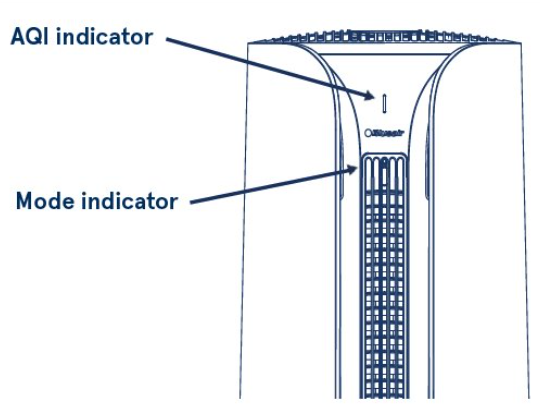
What is the difference between the AQI indicator and the mode indicator lights?
-
AQI Indicator Light
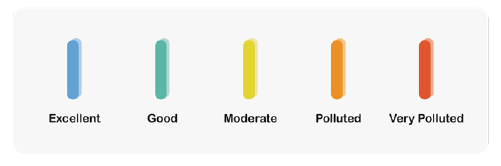
- The 3-in-1 air purifier has a particle sensor to measure the fine particle levels (PM 2.5) in the room. The AQI indicator displays the air quality status in five colors, from excellent (blue) to very polluted (red).
-
Mode Indicator Light
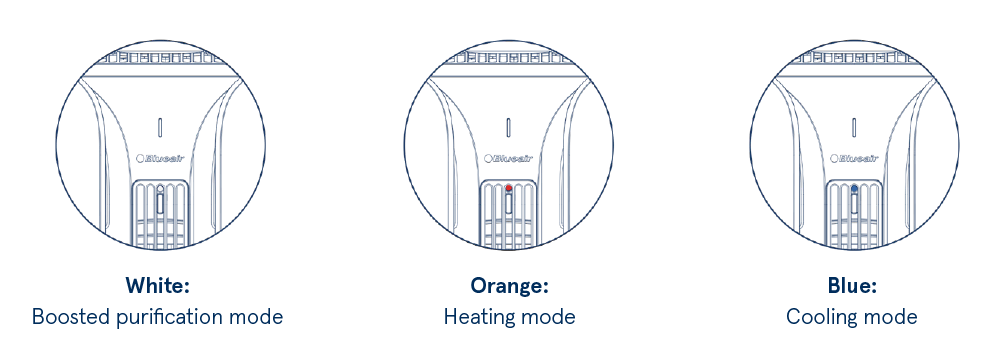
- The Mode indicator shows which main mode the device is currently in. The Mode indicator blinks when the remote is used to indicate that the device has received the command.
The AQI light will display a different color depending on the air quality of the surrounding environment.
The Mode indicator will display a different color depending on which mode function the device is currently doing.
How do I change the heat target setpoint?
To set a target temperature, press the heating button on the device interface, wait for the toggles to flash then press the toggles up/down until the desired target is displayed. After 3 seconds the target temperature will be set.
- When heating mode is enabled, the device will always work toward the target temperature regardless of the sub mode (i.e. fan speeds 1-4 or auto mode).
-
When auto mode is enabled with heating mode, the device will increase fan speed to achieve the target temperature more quickly.