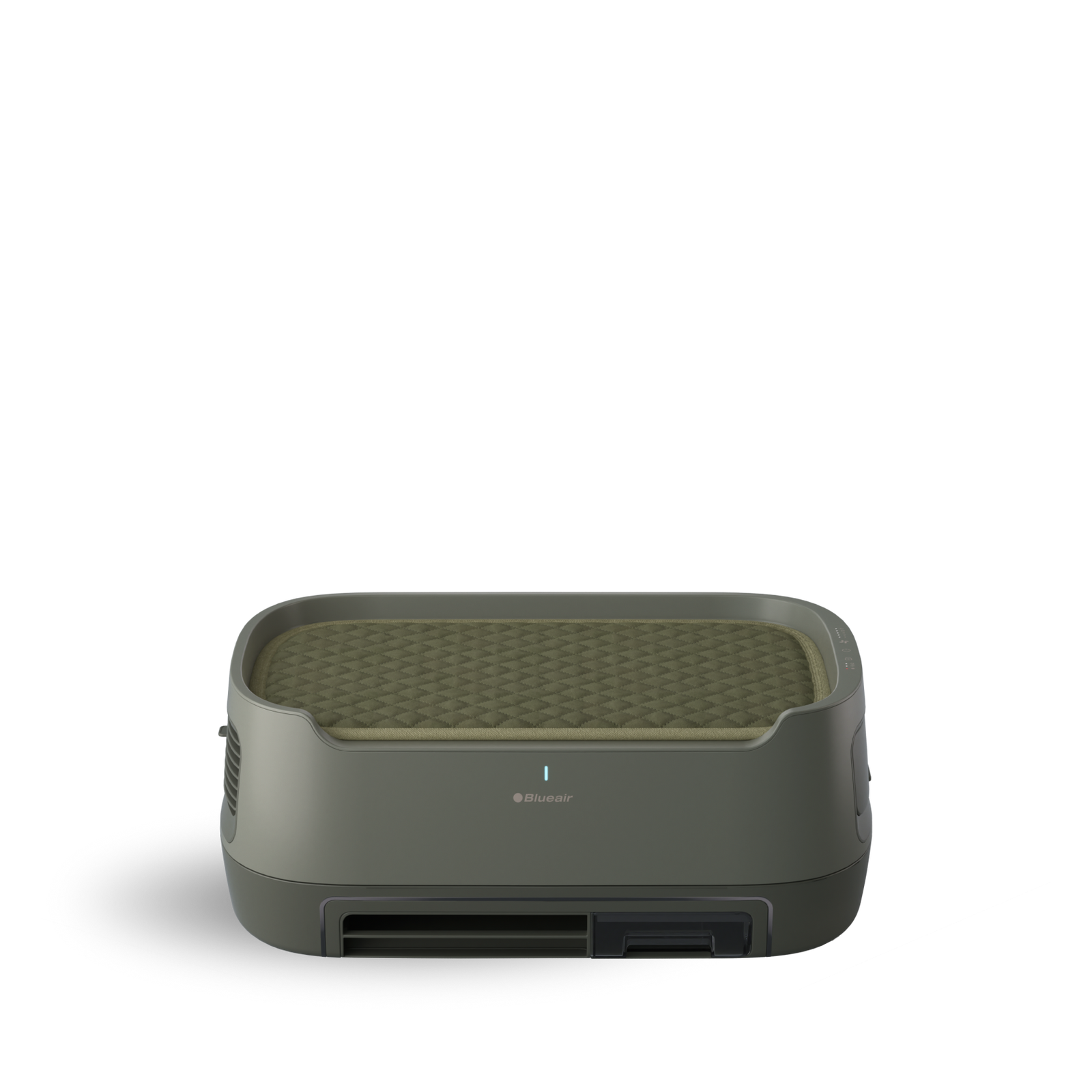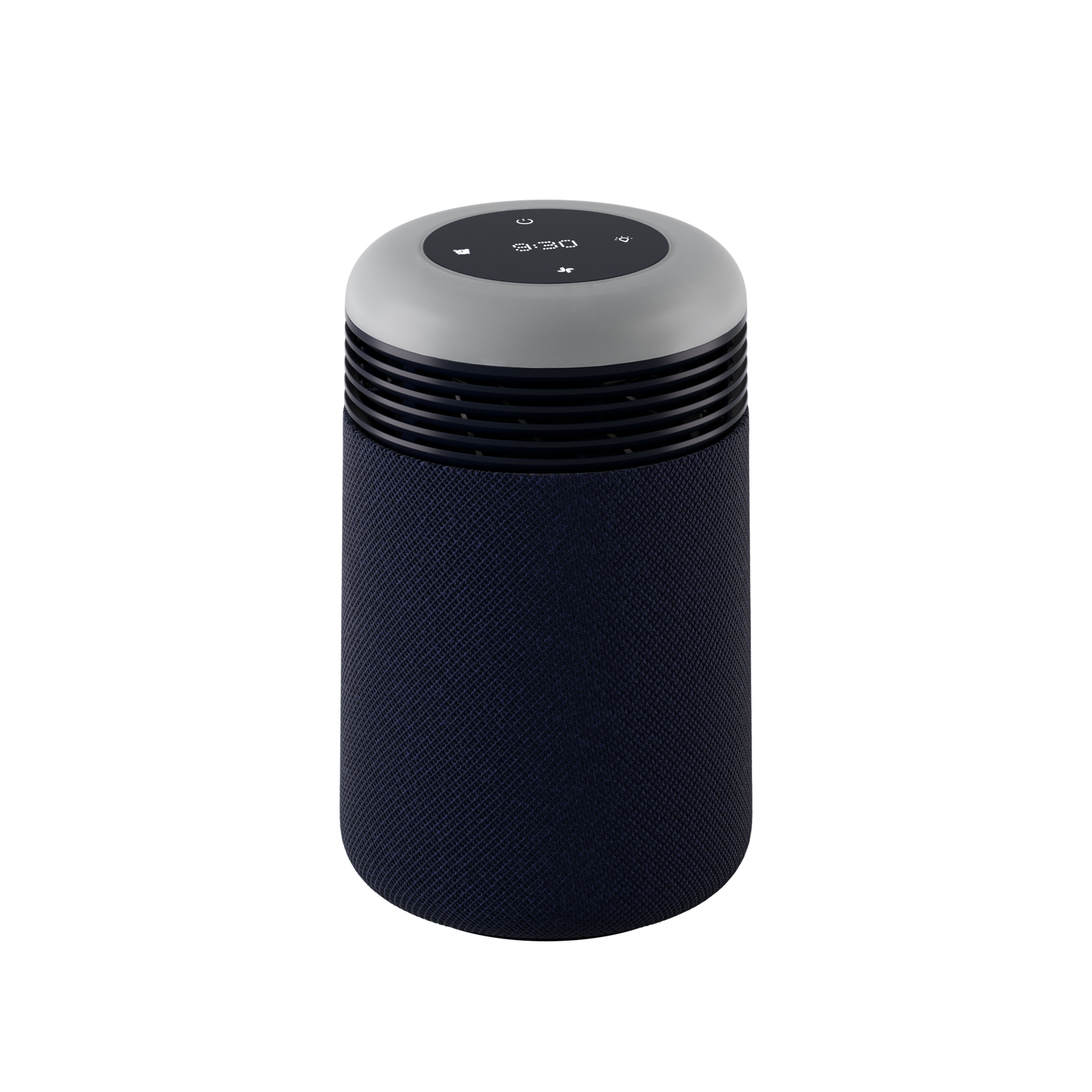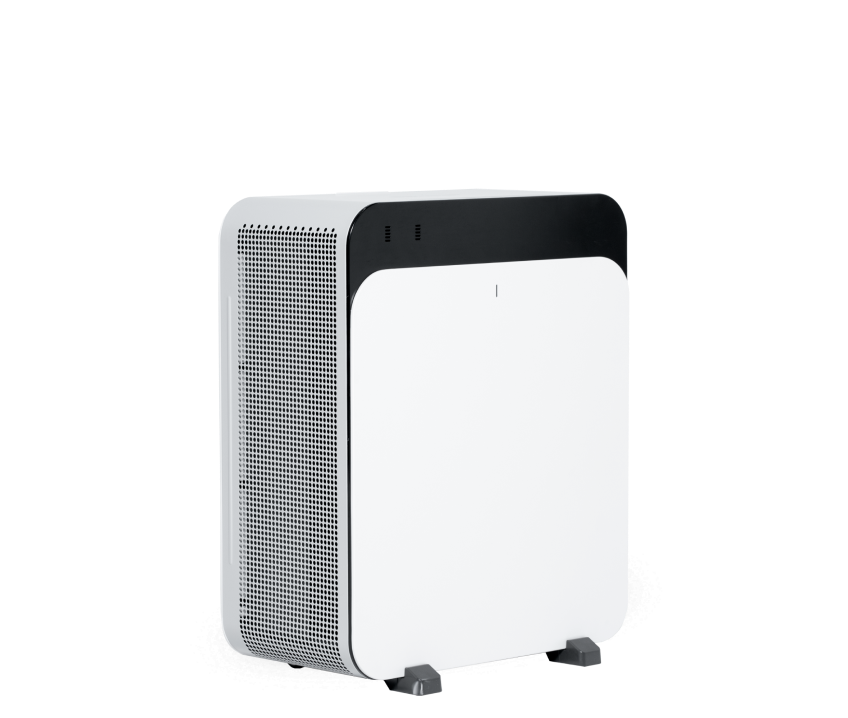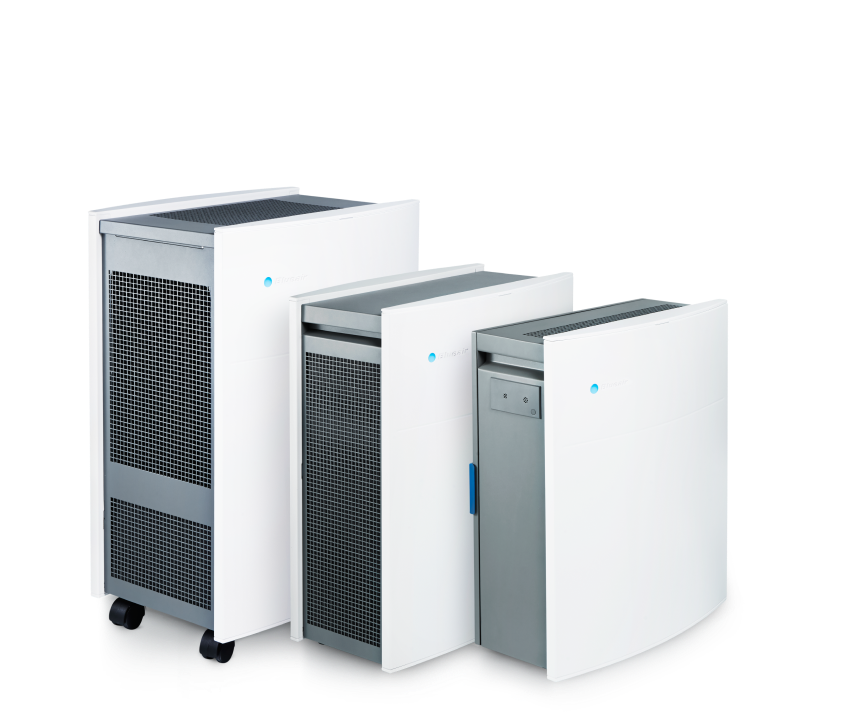
2 in 1




Top questions about the 2-in-1
How does DermaSense™ Skin Mode Work?
DermaSense™ Skin Mode is an advanced tool to enhance your nightly skin care routine by optimizing your skin's foundation, gently hydrating and caring for it while you sleep.
- Algorithm based: uses a proprietary algorithm that adapts humidity levels based on indoor temperature and time of day.
- Smarter at night: sets to higher humidity emittance when you sleep (and your skin loses most of its moisture).
- Precise moisturization: Adjusts between 8 levels of optimal humidity levels from 40 - 60% to support your skin's micro moisture fluctuation throughout the day.
- Effortless control: with just one tap, DermaSense takes over—fan speed and humidity are automatically adjusted—no guessing, no toggling.
Remember to connect the device to Blueair app, so it syncs with local day/night cycle for perfect moisture balance throughout the day.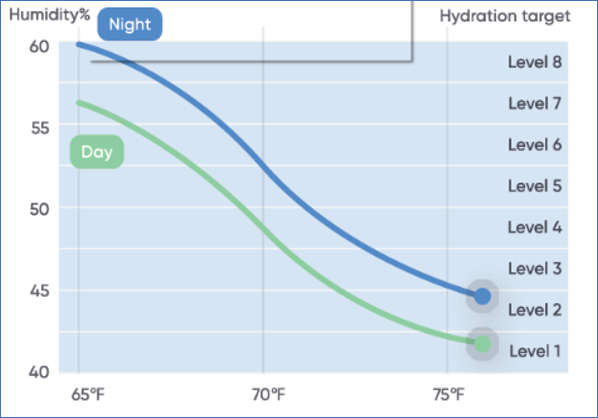
How does the low water indicator work?
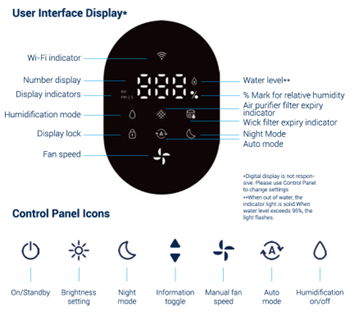
The unit has a built-in water level indicator and will alert you when the water level is low. You'll see a notification light on the display panel and receive an alert through the app if connected.
When refilling the tank from the top pour method, the low water indicator will flash to let you know that you have filled the tank up to the max fill line.
How do I change the air filters on my 2-in-1?
Important! Turn the 2-in-1 off and disconnect it from the power supply before maintenance.
When your filter replacement indicator turns red, it’s time to change the air purifier filter. This will occur after 6-9 months of operation, depending on the usage.
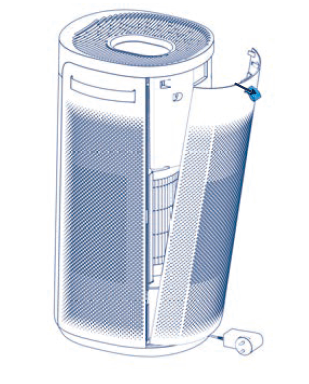
Step 1: Open the filter door by pulling the Blueair tag.
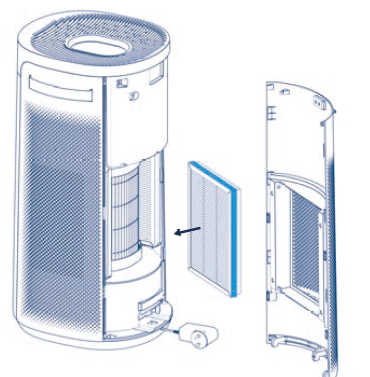
Step 2: Pull the filter out of the filter door.
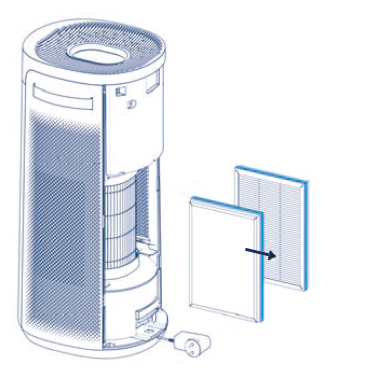
Step 3: Remove the two filters on the side by sliding them out.
Step 4: Replace the new side and back filters appropriately, following the filter direction arrows on the filters.
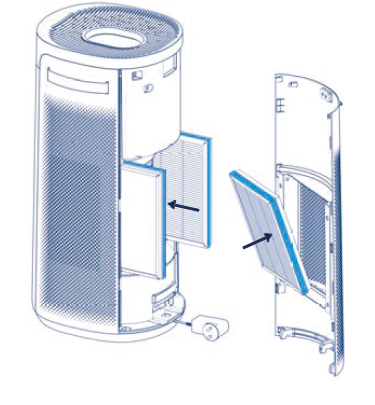
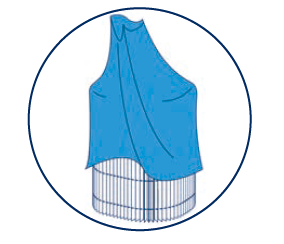
Important! Remove the plastic around the new filter.
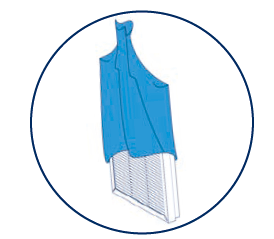
Step 5: Close the filter door
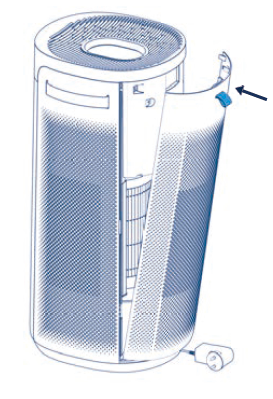
Step 6: To reset the filter lifetime, press the Fan button for 15 seconds.

How do I clean my 2-in-1 device?
Keeping your 2-in-1 clean will help ensure the best performance over time. Always disconnect the device from power prior to cleaning.
How do I reset the filter indicator lights on my 2-in-1?
- When the air filter replacement indicator turns red it means the filter has expired. After replacing with a new filter, reset the filter lifetime indicator by long pressing the fan speed button for 15 seconds.

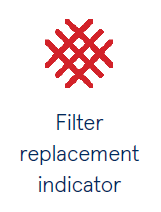
- When the wick filter replacement indicator turns red it means the wick filter has expired. After replacing with a new wick filter, reset the filter lifetime indicator by long pressing the Humidification button for 15 seconds.

How to Use Videos
2-in-1 Troubleshooting
Why is my 2-in-1 making unusual noises?
Expected noise with air purifiers:
High speed level: Air purifiers that are set on a high-speed level produce more noise because they function at faster rates. On low fan speed, the air purifier should be quieter.
Dirty filters and pre-filters: If the main filter(s) or pre-filter(s) are very clogged or dirty, the engine might not get sufficient airflow, which may result in increased noise levels.
Room environment: In an empty room with high ceilings and hard material there may be increased sound with the echo, compared to room with carpet and other furniture which may help absorb noise created by the device.
If your 2-in-1 device makes an unusual sound:
1.Turn off and unplug your device
2. Remove the main filter(s) according to the instructions in the user manual and make sure that you have removed the plastic cover from the filters.
3. Make sure that there are no objects or dust:
- Inside the air purifier (for Blue air purifiers, look through the top of the unit).
- Around the air inlets and air outlets
- On top of or directly against the air purifier
- On the pre-filters, if your air purifier has pre-filters
4. Re-install the filters correctly and ensure everything is properly seated.
5. Ensure that the device is with at least 10 cm from any objects or wall and is placed on a level surface.
6. Make sure that the air purifier is standing stable on an even surface.
If the noise continues please contact the Blueair Customer Support to get help. If you notice any damage on the device, please contact the Blueair Customer Support.
My 2-in-1 does not start
If your 2-in-1 does not start, please try these troubleshooting methods:
1. Turn off and unplug the air purifier
2. Check the power cable: If the power cable is damaged, contact Customer Support
3. Make sure that there are no objects or dust:
- Inside the air purifier
- On top of or directly against the air purifier
- Around the air inlets and air outlets.
- On the pre-filters
- Around the air quality sensors.
4. Check the filter:
- Make sure that the plastic wrapping around the filter is removed.
- Insert the filter and make sure it is correctly inserted. The handles should be on top.
- Make sure that the top of the air purifier is correctly attached to the bottom.
5. Confirm that your device is functioning:
- Plug the power cable firmly into an outlet
- Press the On/Standby button to turn on the air purifier and select a speed level. If the air purifier does not have a On/Standby button, and select a fan speed from the control panel
- Make sure that the LED indicators on the air purifier are lighting up
- Make sure that the airflow is working (feel with your hands that air is coming out from the air outlet).
How do I fill the water tank in my 2-in-1?
How do I fill the water tank in my 2-in-1?
Your Blueair 2-in-1 is safe to use with clean water of your choice, including tap. It is recommended that the water tank be cleaned weakly to ensure proper operation. After refilling press any button to restart.
Option 1: Top Pour (Recommended)Turn the device to standby/off
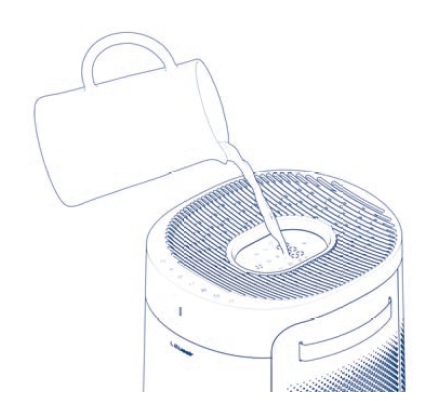
- Before filling the water form the top, ensure the device is in standby mode.
- Carefully pour water straight down onto the waterproof display.
- Once the tank has reached 95% full, the low water indicator will flash to let you know that the tank is full.
- Note: Do not fill past the max fill line
Option 2: Bucket Fill
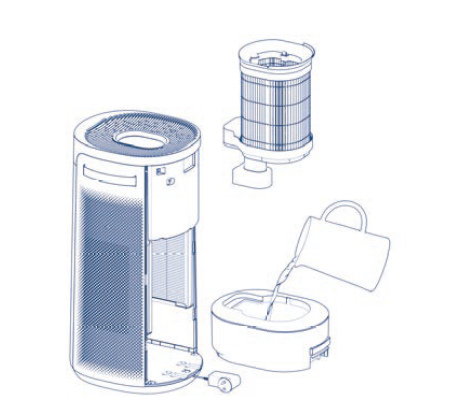
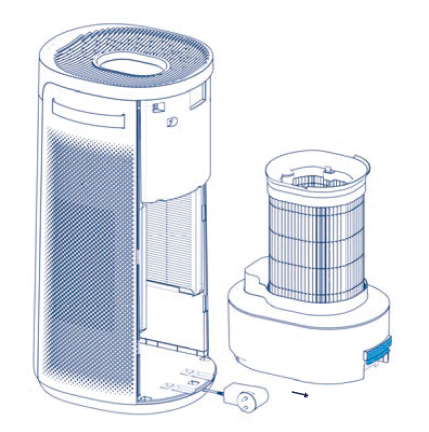
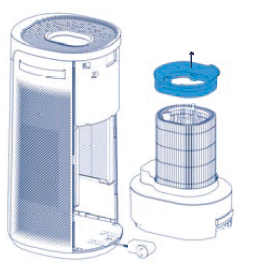
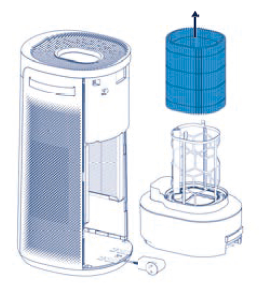
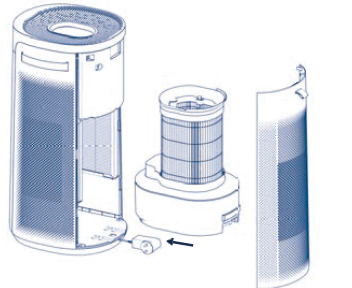
- Open the back of the device and take out the humidification module.
- Lift up the wick assembly and pour water directly into the tank.
- Interest the humidification module back onto the tank and slide it back into the back of the 2-in-1 device, closing the door once it’s inserted.
- Note: Do not fill past the max fill line as marked on the water tank
For more information regarding your Humidifier maintenance, please check out our Humidifier Care Page here.
I notice a smell from my 2-in-1 device
As with any product, a slight odor may be noticed in some filters due it its inherent material. We do our best to minimize that smell and we encourage our customers to reach out to the Blueair Customer Support teams for any questions or needs of support.
More information about filter odor:
New filter
New products may emit an odor when opening the box, that is normal.
All materials, including filter materials, have their own smell. The filter is enclosed by a plastic bag and a cardboard box, and the smell from the product is accumulated inside. The smell from filter media is harmless.
Run your air purifier and ventilate your room to air out the air purifier and its filter to reduce the new filter odor faster.
You may also place the new filter by an open window before using it or run your air purifier in a room where you spend less of your time first for a few days until the odor fades away.
Used filter /filter used in strong odor environment
When the filter is full and gets clogged, it can start to release a smell. To help prevent this, we recommend replacing it based on recommended lifetime.
A recommend lifetime of the filter is stated for each Blueair product however the filter lifetime is highly dependent on the environment the air purifier is in which could require more frequent replacement if you live in a high pollution prone area (ie. wildfire, sandstorms, pets, smoking...etc)
It is not possible to remove all odors but regular ventilation in addition to using air purifiers will help get rid of strong odors.
For more information regarding your Humidifier maintenance, please check out our Humidifier Care Page here.
Why is there buildup or staining on the wick of my 2-in-1?
The wick filter may develop a white or yellow buildup after some use. Mineral deposits and other debris, that originated in the water used to fill the humidifier, that have been trapped by the wick filter cause this buildup and staining.
To clean, remove the wick filter from the filter cage and rinse under running water. For a deeper clean, soak with mild or citric acid cleanser, 20g citric acid for every 1L of water for 1 hour, then rinse well under running tap water according to the instructions in the user manual.
User Manuals & Replacement Filters
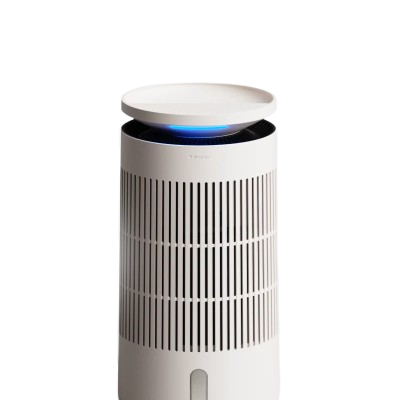
2-in-1 FAQs
How does DermaSense™ Skin Mode Work?
DermaSense™ Skin Mode is an advanced tool to enhance your nightly skin care routine by optimizing your skin's foundation, gently hydrating and caring for it while you sleep.
- Algorithm based: uses a proprietary algorithm that adapts humidity levels based on indoor temperature and time of day.
- Smarter at night: sets to higher humidity emittance when you sleep (and your skin loses most of its moisture).
- Precise moisturization: Adjusts between 8 levels of optimal humidity levels from 40 - 60% to support your skin's micro moisture fluctuation throughout the day.
- Effortless control: with just one tap, DermaSense takes over—fan speed and humidity are automatically adjusted—no guessing, no toggling.
Remember to connect the device to Blueair app, so it syncs with local day/night cycle for perfect moisture balance throughout the day.
How does the low water indicator work?
The unit has a built-in water level indicator and will alert you when the water level is low. You'll see a notification light on the display panel and receive an alert through the app if connected.
When refilling the tank from the top pour method, the low water indicator will flash to let you know that you have filled the tank up to the max fill line.
Can I use essential oils in my evaporative humidifier?
No, essential oils can damage the wick filter in evaporative humidifiers. Use only water.
How do I change the air filters on my 2-in-1?
Important! Turn the 2-in-1 off and disconnect it from the power supply before maintenance.
When your filter replacement indicator turns red, it’s time to change the air purifier filter. This will occur after 6-9 months of operation, depending on the usage.
Step 1: Open the filter door by pulling the Blueair tag.
Step 2: Pull the filter out of the filter door.
Step 3: Remove the two filters on the side by sliding them out.
Step 4: Replace the new side and back filters appropriately, following the filter direction arrows on the filters.
Important! Remove the plastic around the new filter.
Step 5: Close the filter door
Step 6: To reset the filter lifetime, press the Fan button for 15 seconds.
Why is my 2-in-1 making unusual noises?
Expected noise with air purifiers:
High speed level: Air purifiers that are set on a high-speed level produce more noise because they function at faster rates. On low fan speed, the air purifier should be quieter.
Dirty filters and pre-filters: If the main filter(s) or pre-filter(s) are very clogged or dirty, the engine might not get sufficient airflow, which may result in increased noise levels.
Room environment: In an empty room with high ceilings and hard material there may be increased sound with the echo, compared to room with carpet and other furniture which may help absorb noise created by the device.
If your 2-in-1 device makes an unusual sound:
1.Turn off and unplug your device
2. Remove the main filter(s) according to the instructions in the user manual and make sure that you have removed the plastic cover from the filters.
3. Make sure that there are no objects or dust:
- Inside the air purifier (for Blue air purifiers, look through the top of the unit).
- Around the air inlets and air outlets
- On top of or directly against the air purifier
- On the pre-filters, if your air purifier has pre-filters
4. Re-install the filters correctly and ensure everything is properly seated.
5. Ensure that the device is with at least 10 cm from any objects or wall and is placed on a level surface.
6. Make sure that the air purifier is standing stable on an even surface.
If the noise continues please contact the Blueair Customer Support to get help. If you notice any damage on the device, please contact the Blueair Customer Support.